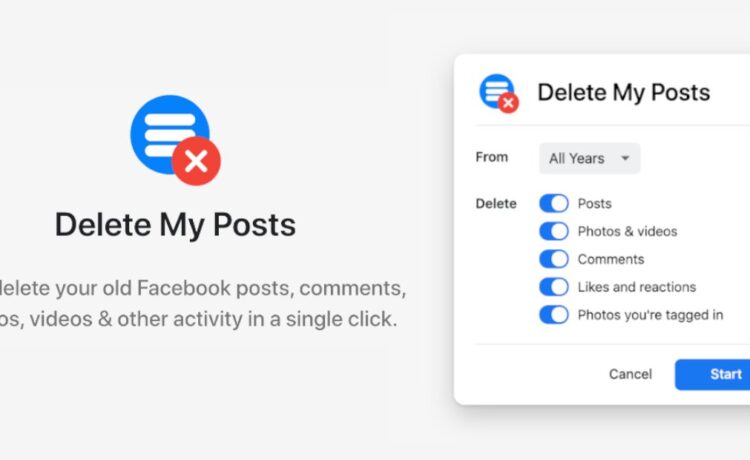
Looking to declutter your Facebook profile quickly and efficiently? The solution lies in knowing how to mass delete Facebook posts. With our step-by-step guide, you can easily remove multiple posts in just a few clicks. Say goodbye to old memories, outdated information, or simply unwanted content by following these simple instructions. Let’s streamline your Facebook presence together.

How to Mass Delete Facebook Posts: A Detailed Guide
Welcome to our comprehensive guide on how to mass delete Facebook posts! Over time, our social media feeds can get cluttered with old, embarrassing posts that we’d rather not have on display. Whether you’re looking to streamline your online presence or simply declutter your timeline, we’ve got you covered with easy-to-follow steps to help you clean up your Facebook profile efficiently.
Why Delete Facebook Posts?
Before we dive into the how-to part, let’s discuss why you might want to delete your old Facebook posts. It’s natural to want to curate your digital presence, especially as you grow and change over time. By removing outdated or irrelevant posts, you can ensure that your Facebook profile reflects the person you are today.
Privacy and Security Concerns
Another crucial reason to delete old Facebook posts is to protect your privacy and security. With the increasing focus on data privacy, minimizing the amount of personal information available online is a proactive step in safeguarding your digital identity.
Step-by-Step Guide to Mass Delete Facebook Posts
Now, let’s get into the nitty-gritty of how to mass delete Facebook posts. Follow these steps to streamline your profile and create a more polished online presence.
Step 1: Accessing Your Facebook Profile
First things first, log in to your Facebook account using your credentials. Once you’re on your profile page, navigate to your timeline, where all your posts are displayed in chronological order.
Step 2: Selecting Posts to Delete
Scroll through your timeline and identify the posts you wish to delete. You can choose to delete individual posts or opt for a more efficient method of mass deleting multiple posts at once.
Step 3: Using Facebook’s Activity Log
One of the easiest ways to mass delete posts on Facebook is by utilizing the platform’s Activity Log feature. This tool allows you to view and manage all your activity on Facebook, including posts, likes, and comments.
Step 4: Filtering Your Posts
In the Activity Log, you can filter your posts by date, type, and other categories to streamline the deletion process. This feature enables you to focus on specific posts and remove them in batches, saving you time and effort.
Step 5: Deleting Posts in Bulk
Once you’ve filtered your posts, you can select multiple items for deletion. Facebook provides options to delete posts individually or in bulk, making it convenient to remove outdated content from your profile.
Additional Tips for Managing Your Facebook Profile
While mass deleting posts is a great way to declutter your Facebook profile, here are some additional tips to help you maintain a clean and organized online presence:
Tip 1: Review Privacy Settings
Regularly review and update your privacy settings on Facebook to control who can see your posts and personal information. Adjusting these settings can help you manage your online visibility effectively.
Tip 2: Use the “Hide” Option
If you’re unsure about deleting a post entirely, consider using the “Hide” option to remove it from your timeline without permanently deleting it. This feature allows you to hide posts from specific individuals or groups while keeping them accessible to you.
Tip 3: Monitor Post Tags and Mentions
Keep an eye on posts where you are tagged or mentioned by others. Managing these tags and mentions can help you maintain control over your online reputation and ensure that your profile reflects your desired image.
Cleaning up your Facebook profile doesn’t have to be a daunting task. With the right tools and techniques, you can easily mass delete posts and maintain a polished online presence. By following the steps outlined in this guide and implementing our additional tips, you’ll be well on your way to curating a Facebook profile that truly represents you. Happy cleaning!
Remember, your online presence is a reflection of who you are, so taking the time to manage and delete old posts can help you put your best foot forward in the digital world. Stay tuned for more helpful guides and tips on navigating the ever-evolving landscape of social media!
How To Bulk Delete Facebook Posts – Full Guide
Frequently Asked Questions
How can I mass delete multiple Facebook posts at once?
To mass delete Facebook posts, you can use Facebook’s Activity Log feature. Go to your profile, click on the Activity Log button, select the posts you want to delete, and use the bulk delete option to remove them in batches.
Is there a quick way to delete old Facebook posts in bulk without going through each one individually?
Yes, you can speed up the process by using third-party apps or browser extensions specifically designed for mass deleting Facebook posts. These tools can automate the deletion process, saving you time and effort.
Are there any precautions I should take before mass deleting my Facebook posts?
Before conducting a mass deletion of your Facebook posts, make sure to review the posts you intend to delete to avoid removing any important content accidentally. Additionally, consider adjusting your privacy settings to control who can view your future posts.
Final Thoughts
To mass delete Facebook posts, use a third-party tool like “Social Book Post Manager” to easily delete old posts in bulk. Start by installing the tool as a Chrome extension, then navigate to your profile and customize the deletion criteria. Once you’re ready, run the tool to automatically delete multiple posts at once. Streamline your Facebook clean-up process by utilizing this efficient method to quickly manage and declutter your profile.